RocketFish RF-BTAPDT Uživatelská příručka Strana 7
- Strana / 49
- Tabulka s obsahem
- ŘEŠENÍ PROBLÉMŮ
- KNIHY

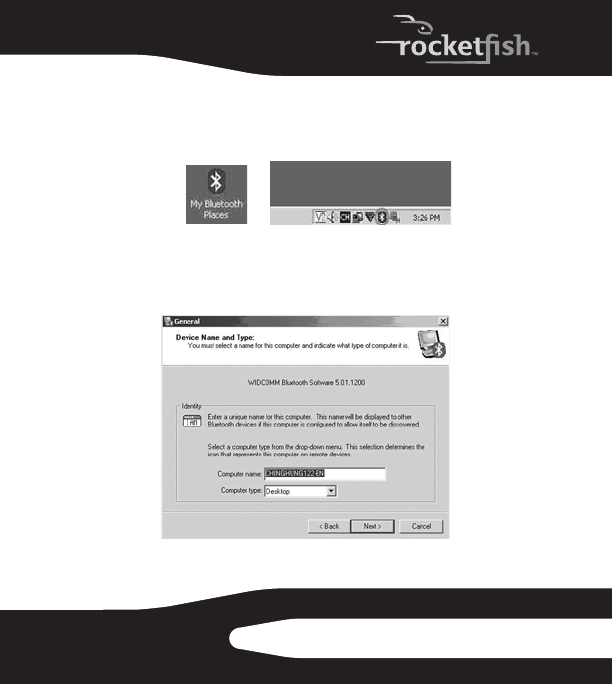
- RF-BTAPDT 1
- 3RF-BTAPDT 3
- Using the Bluetooth adapter 4
- 5RF-BTAPDT 5
- 7RF-BTAPDT 7
- 9RF-BTAPDT 9
- 11RF-BTAPDT 11
- Troubleshooting 12
- 13RF-BTAPDT 13
- Legal notices 14
- 15RF-BTAPDT 15
- Rocketfish RF-BTAPDT 16
- Adaptateur USB sans fil 16
- BluetoothMD 16
- 17RF-BTAPDT 17
- 3 Cliquer sur Next (Suivant) 18
- 19RF-BTAPDT 19
- 21RF-BTAPDT 21
- 23RF-BTAPDT 23
- (Connexion 24
- 27RF-BTAPDT 27
- Problèmes et solutions 28
- 29RF-BTAPDT 29
- Avis juridiques 30
- 31RF-BTAPDT 31
- 33RF-BTAPDT 33
- Uso del adaptador Bluetooth 34
- 35RF-BTAPDT 35
- 37RF-BTAPDT 37
- 39RF-BTAPDT 39
- 41RF-BTAPDT 41
- 43RF-BTAPDT 43
- 45RF-BTAPDT 45
- Avisos legales 47
- Advertencia de la FCC 48
- Declaración RSS 310 48
- Derechos de reproducción 48
© 2020, manymanuals.cz. Všechna práva vyhrazena. | 0.031 s |
 Manymanuals.com
 Manymanuals.de
 Manymanuals.fr
 Manymanuals.it
 Manymanuals.pl
 Manymanuals.cz
 Manymanuals.es
 Manymanuals-pt.com
Komentáře k této Příručce