RocketFish RF-MRBTAD Uživatelská příručka Strana 10
- Strana / 37
- Tabulka s obsahem
- KNIHY

- User Guide 1
- Rocketfish RF-MRBTAD Micro 2
- Bluetooth 2.1 EDR Adapter 2
- 3RF-MRBTAD 3
- Features 3
- Windows 7 and Windows 8 4
- Windows Vista® 4
- 5RF-MRBTAD 5
- 7RF-MRBTAD 7
- Click Yes 8
- 9RF-MRBTAD 9
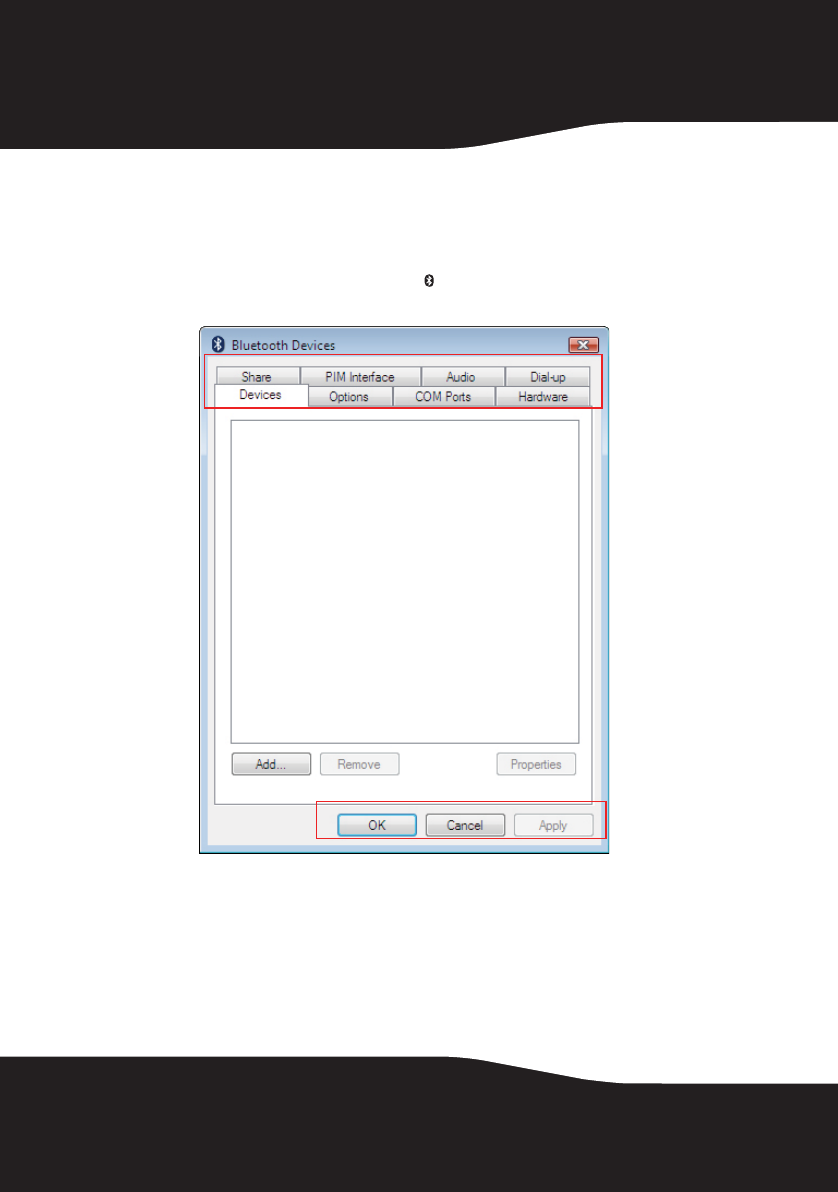
- Windows Vista 10
- 11RF-MRBTAD 11
- Options tab 12
- 13RF-MRBTAD 13
- Hardware tab 14
- 15RF-MRBTAD 15
- PIM Interface tab 16
- 17RF-MRBTAD 17
- Dial-up tab 18
- 19RF-MRBTAD 19
- Windows® 2000 or Windows® XP 19
- 21RF-MRBTAD 21
- 23RF-MRBTAD 23
- Name and Type screen opens 24
- 25RF-MRBTAD 25
- Click Finish 26
- 27RF-MRBTAD 27
- Bluetooth devices are listed 28
- 29RF-MRBTAD 29
- 31RF-MRBTAD 31
- Uninstalling the software 32
- 33RF-MRBTAD 33
- Troubleshooting 33
- Legal notices 33
- Interference Notice 34
- 35RF-MRBTAD 35
- One-Year Limited Warranty 35
Související produkty a manuály pro Karty / adaptéry rozhraní RocketFish RF-MRBTAD
 (15 stránky)
© 2020, manymanuals.cz. Všechna práva vyhrazena. | 0.021 s |
 Manymanuals.com
 Manymanuals.de
 Manymanuals.fr
 Manymanuals.it
 Manymanuals.pl
 Manymanuals.cz
 Manymanuals.es
 Manymanuals-pt.com
Komentáře k této Příručce